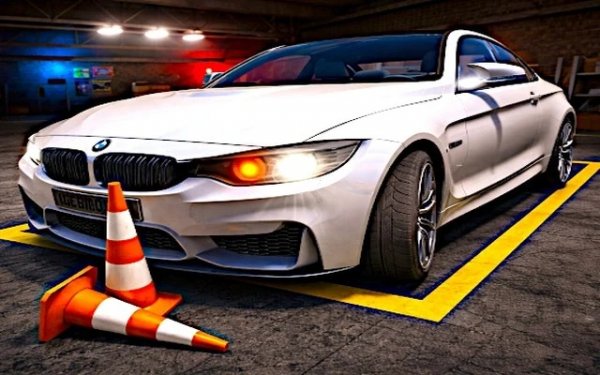
Parallel Parking Master 3D
Review
Parallel Parking Master 3D stands out by centering its entire design on a single, well-executed mechanic: parking accuracy. The gradual difficulty curve ensures that each new challenge feels earned, and the variety of environments keeps the gameplay fresh. Controls are responsive, and the visual feedback helps players learn from mistakes. It is an ideal choice for anyone looking for a calm, skill-based driving experience without the pressure of racing.
About This Game
Core Gameplay Loop
Parallel Parking Master 3D centers on the challenge of maneuvering a vehicle into designated parking spots. Unlike typical driving games that emphasize speed, this title rewards patience and precise control. Players start with simple, wide bays that allow them to learn how their car responds to steering inputs and braking. As they advance, the parking zones become tighter, often requiring multiple adjustments to align the vehicle correctly. The core satisfaction comes from executing a clean park without touching any surrounding objects.
Environment Variety
The game presents a range of settings that test different aspects of spatial awareness. Early levels take place on quiet city streets with clearly marked parallel parking spots. Later stages shift to busier locations such as supermarket parking lots, where other cars and shopping carts create obstacles. Some levels introduce angled parking or spots near walls and pillars, forcing players to approach from specific directions. Each environment changes the visual cues available, so players must adapt their strategy based on the surroundings.
Control Scheme and Feedback
On a keyboard, the standard controls use W for acceleration, S for reverse, and A or D for steering. Touchscreen users tap pedals on screen and swipe to turn. The game provides immediate feedback through visual indicators: a green outline appears when the car is correctly positioned, while red markers flash if the vehicle contacts an obstacle. This clear feedback helps players understand exactly where they went wrong and how to improve on the next attempt. The controls feel responsive, allowing for small, precise movements.
Progression and Difficulty Curve
The difficulty increases gradually, introducing new challenges one at a time. After mastering basic straight-in parking, players face parallel parking between two cars. Later levels add time limits, requiring efficient planning without rushing. Some scenarios include moving obstacles like pedestrians or other vehicles that must be avoided while parking. The progression system ensures that players build skills incrementally, making each new challenge feel achievable after practice.
Visual Style and Atmosphere
The graphics use a clean, stylized 3D look that keeps the focus on the parking task. Bright colors and clear markings make it easy to see parking boundaries and obstacles. The camera angles can be adjusted to provide a top-down view or a behind-the-car perspective, helping players judge distances. Ambient city sounds like distant traffic and birds create a relaxed atmosphere, reinforcing the game's emphasis on careful, methodical play rather than high-speed action.




💬 Comments
0 comments