Style Showdown: Creative Outfit Challenge
Review
Style Showdown offers a refreshing mix of dress-up and timing-based competition. The wardrobe selection is varied enough to encourage experimentation, while the contest phase adds a layer of excitement. The game runs smoothly on all devices and is completely free. Its family-friendly design makes it a great choice for children and casual gamers looking for a lighthearted challenge.
About This Game
Character Styling Basics
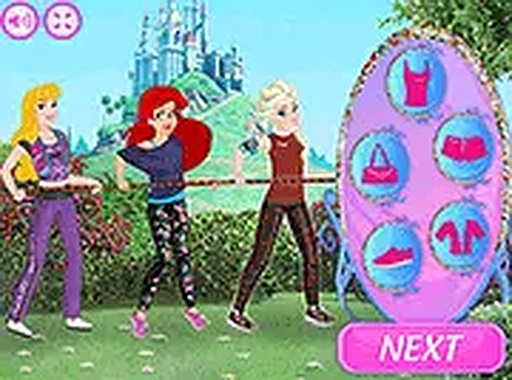
Players start by selecting a character to dress. The wardrobe includes a variety of tops, bottoms, dresses, hairstyles, and accessories. Each item can be applied with a simple click or tap, and players can layer pieces to create distinct looks. The interface is designed for quick browsing, allowing users to experiment with different combinations without delay.
Contest Mechanics
Once all characters are styled, the contest phase begins. Players must click or tap rapidly to generate energy for their team. The faster the clicks, the more power is produced, helping the team pull ahead in the competition. This phase adds an energetic twist to the creative process, blending design with dexterity.
Visual Style and Accessibility
The game uses bright, colorful graphics with clear buttons and text. Characters and clothing items are depicted in a friendly, cartoon-like style. The layout adapts to different screen sizes, so the experience remains smooth on phones, tablets, and computers. A full-screen option is available for those who prefer a larger view.
Family-Friendly Environment
All content is designed to be suitable for children and families. There are no violent or mature themes. The game encourages creativity and lighthearted competition, making it a safe choice for younger players. Parents can feel comfortable allowing kids to play without supervision.
Tips for Enjoying the Game
To perform well in the contest, focus on maintaining a steady clicking rhythm rather than clicking as fast as possible. Taking short breaks between rounds can help keep your speed consistent. Experiment with different outfit combinations to discover your favorite styles. The goal is to have fun, so don't worry too much about winning every match.

💬 Comments
0 comments