Number Commander: Space Defense
Review
Number Commander: Space Defense works best for players who want short, repeatable sessions that combine calculation practice with a light action layer. The two-step loop of solving then aiming keeps attention moving, and the minimalist space theme avoids distraction. Difficulty scales through more complex equations and faster hazards, so improvement feels measurable. The main limitation is that it runs only on desktop browsers, with no mobile support mentioned. It is a solid choice for anyone seeking a free, low-commitment math puzzle.
About This Game
Balancing Math and Motion
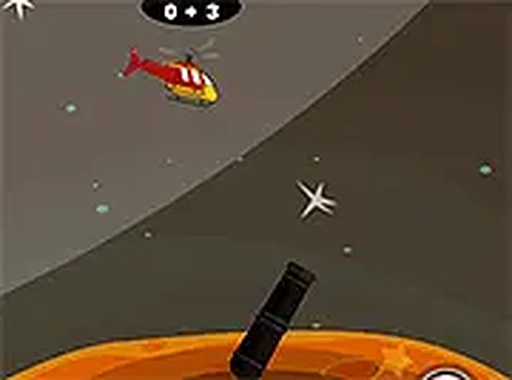
Number Commander: Space Defense asks players to handle two tasks at once: solve an arithmetic problem and direct a defense system toward falling hazards. A correct answer charges the protective system, but the equation alone is not enough—players must then aim at the right location before the object lands. That two-step loop creates a rhythm where calculation speed and spatial precision compete for attention. The result is a game that tests cognitive and motor skills simultaneously, rather than treating them as separate challenges.
Minimalist Sci-Fi Presentation
The game uses a clean sci-fi aesthetic with a dark space backdrop. Stars and nebulae fill the background, giving the screen a calm, open feel that contrasts with the urgency of the falling objects. The interface stays out of the way, showing only the current equation, a timer, and the incoming hazards. This restraint keeps attention on the core task and prevents visual clutter from interfering with quick decisions.
Progression and Difficulty
As players advance, the arithmetic problems grow more complex, introducing larger numbers and multiple operations. Falling objects also increase in speed and frequency. This gradual ramp-up lets newcomers learn the basics before facing tougher challenges. The game rewards consistent accuracy and faster response times, encouraging repeated play to improve personal scores. There is no penalty for taking a moment to think, but the falling objects create natural time pressure.
Access and Controls
Number Commander: Space Defense runs entirely in a web browser on desktop computers. No downloads or installations are required, and the game is free to access. Controls are straightforward: keyboard input or mouse clicks submit answers. This makes it easy to start playing within seconds, and the game suits players of all ages who want to sharpen arithmetic skills in an engaging context.








💬 Comments
0 comments